







Best Free AI Image Generators in 2026: My Top Picks
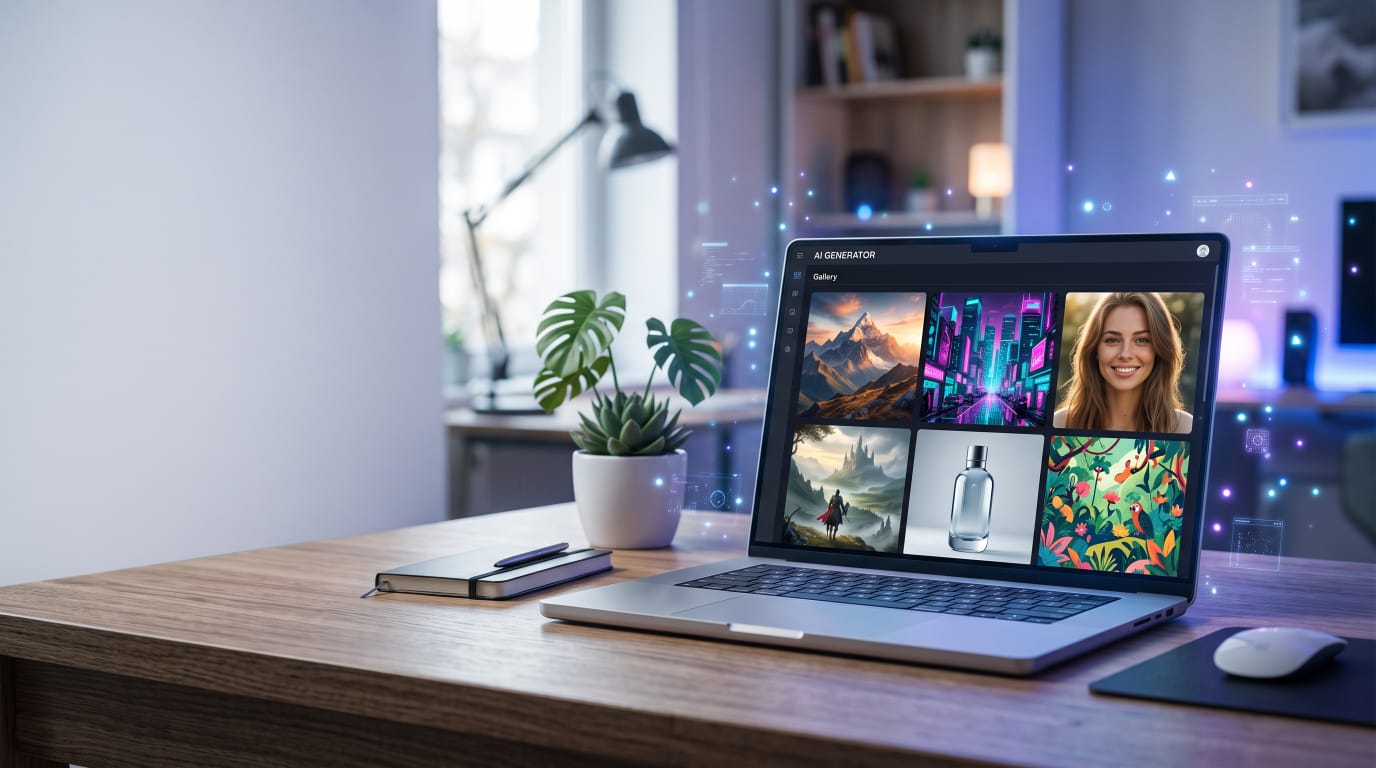
Finding the Best Free AI Image Generators in 2026 is not really about choosing the tool with the longest list of features. It is about finding Ai image generators that actually make creative work easier without making the process unnecessarily complicated. That’s what makes finding the Best Free AI Image Generators in 2026 easier when you know what to look for
A few months back, my sister asked me to help design a birthday invite for her daughter’s dinosaur-themed party. I figured I’d just Google “cute cartoon and dinosaur party invite” and grab something free. Twenty minutes and about fifteen sketchy stock photo sites later, I still had no thing that actually matched what she wanted out of frustration, I typed the description into an AI images generator instead, and had three usable option in under two minutes.
That was honestly my “oh, this is actually useful” moment with AI image tools. Since then I’ve used a handful of these generators for everything from blog thumbnail to a logo mockup for a friend’s small bakery business, and I’ve picked up a lot of small lesson along the way, including a few embarrassing mistakes I’ll admit to further down.
If you’re wondering which free AI image generators are actually worth your time in 2026, and which ones waste it, here’s what I’ve learned from actually using them, not just skimming their landing pages.
What “Free” Actually Means With These Tools
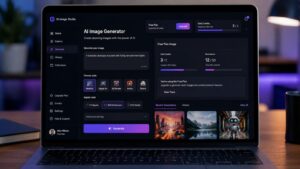
Before jumping into specific tools, I want to be upfront about something that confused me early on. “Free” with AI image generators almost never means unlimited. Most of them give you a certain number of free generations per day or month, and then either slow you down, limit your resolution, or nudge you towards a Paid plan. That’s an important difference to understand when comparing the Best Free AI Image Generators in 2026.
I learned this hard Way when I was working on that bakery logo project. High generated a bunch of options I loved, went to sleep, came back the next day to find my free daily credits reset but the specific style I’d landed was harder to recreate exactly. Small lesson: when you get something close to what you want, download it immediately rather than assuming you can regenerate the exact same result letter
If you’re building a website around AI and blogging, you may also want to read my guide on How to Make Money Blogging in 2026.
The Tools I’ve Actually Used and What They’re Good For
Microsoft Designer (formerly Bing Image Creator)
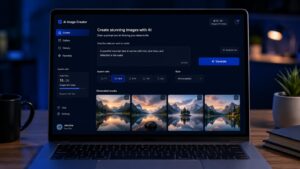
This is my first stop for quick, casual image needs, mainly because it’s genuinely free to use with a Microsoft account and doesn’t ask for a credit card upfront. It runs on OpenAI’s image generation technology under the hood, and for straightforward prompts like “a cozy cabin in the mountains during autumn,” it does a solid job without much fuss. That’s an important difference to understand when comparing the Best Free AI Image Generators in 2026.
Where I’ve noticed struggle is with more specific or unusual combination. I once tried generating “a golden retriever wearing a chief’s hat flipping pancakes” for a lighthearted blog post, and it took about six attempts before the proportions looked right instead of slightly uncanny.
Good for: quick social media graphics, blog header images, simple concept art Watch out for: text within images often comes out garbled or misspelled, so avoid prompts that need readable text in the images itself.
Leonardo AI
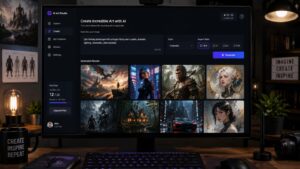
I got into a Leonardo AI through a friend who does freelance graphic design, and it’s become one of my regulars, especially for anything with a more polished or artistic look. The free tire gives you daily credits that refresh, which was enough for my casual use though if you are generating images constantly for client work, you’ll likely pump into limits pretty fast. That’s one reason I consider it among the Best Free AI Image Generators in 2026, for users who want more creative control.
What stood out to me is the level of control you get over style presets. When I was making thumbnail concepts for a YouTube channel of friend runs, Leonardo’s preset styles like “cinematic” or “illustrated” gave noticeably more consistent result and just describing style in plane text.
Good for: stylized art, game assets, more detailed creative project Watch out for: the interface has a slight learning curve compared to simple tools, so budget a bit of time to get comfortable with it.
Canva’s AI Image Generator (built into their design tool)
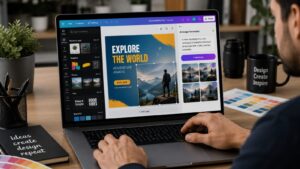
If you already use Canva for anything, and a lot of people do at this point for social post of presentation, their built-in AI Image generator is convenient because you don’t need to jump between different websites. I use this most often when I’m already mid-way throw designing something and realize I need a specific image to fill a gap.
My honest take is that it’s not the most powerful generate on this list in terms of image quality, but the convenience factor is real. I’ve saved a lot of time not having to generate an image elsewhere, download it, then re-upload it into my design.
Good for: feeling image needs while already working inside a can what is iron watch out for: free plan generation limits are on the lower side, so it’s more of a supplementary tool then a primary one for heavy use.
Playground AI
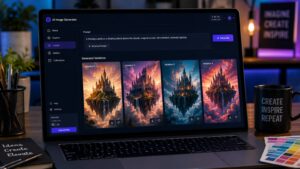
Playground was actually the first AI image tool I used a seriously, back when I was experimenting with different anime-style portraits just out of curiosity. There free tire and historically been fairly generous with daily image credits compared to some competitors, I’d recommend checking their current limits since these things shift over time.
One thing I appreciated is the ability to generate multiple variations of an image side by side, which made it easier to compare options rather than regenerating one at a time and trying to remember what the previous version locked like.
Good for: experimenting with different art styles, and rating multiple variations quickly watch out for; the community feed it public by default on the free tire, meaning your generated images may be visible to other users unless you specifically look into privacy settings.
Ideogram
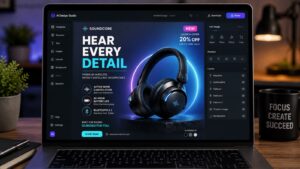
I started using ideogram specifically because of a problem I mentioned earlier, most AI generators struggle badly with readable text inside images. Ideogram is noticeably every better at this. When I needed a mock poster design with an actually readable title on it for a mockup presentation, this was the tool that actually got the text mostly legible without the garbled letters.
It’s not perfect, longer phrases or unusual fonts still sometime come out slightly off, but compared to other tools I tired for the same task it was a clear set up.
Good for: images that need actual readable text, like posters or signage mockups watch out for: general artistic image quality can feel a notch behind some of the more established tools for non-text visuals
Step-by-step: How I Actually Get Good Results
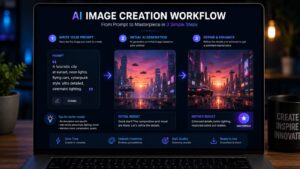
Getting a decent images is not just about picking a tool, its also about how you prompt it. Here’s roughly the process I follow now, after a lot of a trial and error. That’s one reason I consider it among the Best Free AI Image Generators in 2026 for users who want more creative control.
Step 1: Start specific, not vague.
My early prompts were things like “a nice landscape,” in the results were forgettable. Now I write things like “a misty pine forest at sunrise, soft Golden light, wide shot,” and the difference in quality is significant.
Step 2: Mention the style you want directly.
Adding words like “watercolor style,” “3D render” or “flat vector illustration” changes the output a lot. I didn’t realize how much this mattered until I generated the same prompt with and Without a style descriptor and saw completely different results.
Step 3: generate a few variations before settling.
Most tools let you generate multiple options at once or regenerate easily. I used to settle for the first decent result out of impatient, and later regretted not comparing a few more options.
Step 4: Refine instead of starting over completely.
Several tools let you tweak and exciting generation rather than starting from scratch. Saved me a lot of credits once I learned to use it instead of rewriting my whole prompt every time something was slightly off.
Step 5: download immediately once you find something usable.
As I mentioned earlier, exact regeneration isn’t always reliable, so don’t assume you can recreate the same image letter.
Real example: The Bakery Logo Project
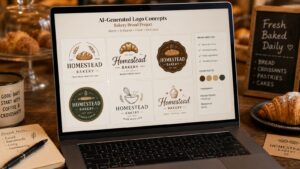
Going back to that friends Bakery logo, here’s roughly how that actually played out, mistake included.
I started in Microsoft Designers with a prompt like minimalist Bakery logo with a bread loaf icon.” The results where fine but pretty generic, honestly similar to logos I’d seen in a dozen other small business Instagram pages.
I switched to Leonardo AI and used their illustration style preset, with gave much more distinctive results. After about eight generations and a few tweaks prompts, adding details like “hand-drawn style, warm color palette, simple line art,” We landed on something that actually felt custom rather than templated.
The final image still needed some cleanup, removing a slightly odd shadow and adjusting colors slightly, which we did quickly and Canva afterward. This is honestly typical. It generated images of need a small amount of manual polish rather than being perfectly final right out of the tool.
Common Mistakes People Make With These Tools
Expecting one prompt to nail it perfectly. I still catch myself doing this out of impatience, typing one prompt and feeling disappointed when it’s not exactly right. Good results usually take a few rounds of adjustment, not one lucky shot. This is something to remember when working with the Best Free AI Image Generators in 2026, because even good tools need refinement.
Ignoring commercial usage rights.
These one’s important and easy to overlook. Free tires on some platforms restrict commercial use of generated images, or require attribution, while others are more permissive. Before using an image for a business logo product, or anything monetize, Actually check the specific tool’s terms rather than assuming it’s automatically fine.
Not saving prawns that worked will. I lost our genuinely great prompt once because I closed the tab without saving it, and spent way too long trying to recreate the exact warding afterwards. Now I keep a simple notice document with prompts that produced good results, so I can reuse or tweak them later.
Trying to force text into images with tools that are not boiled for it. I wasted a fair bit of time trying to get readable text out of tools that just aren’t designed for that, when switching to audiograms would’ve solved it it in a fraction of the attempts.
Assuming higher resolution equals better quality automatically.
A higher resolution image with awkward proportions are a weird extra finger somewhere (still a real an surprisingly common AI image quirk) isn’t actually better than a lower-res image that looks right. quality of the actual content matters more than raw pixel count.
A Quick Not On Ethics And Realistic Expectations
I want to be honest about something here too. AI-generated images specially ones depicting real-looking people, come with real ethical considerations around misuse, misinformation, I generally avoid generating anything meant to look like a real, identifiable person, and most reputable tools have restrictions around this anyway.
Also worth mentioning, these tools are genuinely useful for illustrations concept art, marketing graphics, and creative projects, but they’re not a replacement for professional photography or original artwork in every context. For that Bakery logo project. With the client that the final design used AI-assisted illustration as part of the process, which honestly wasn’t an issue for them, but transparency there felt like the right call. Best Free AI Image Generators in 2026
After testing different options, I think the Best Free AI Image Generators in 2026 are the ones that balance image quality, ease of use, free credits, creative control, and practical limitations. The best choice depends on what you actually need to create rather than simply choosing the most popular AI image generator.
Final Thoughts
 Looking back at that dead frustrating dinosaur invite search it’s little wild how much has changed in how quickly you can get a usable, decent-looking image now. That said, the “free” part of free AI image generators comes with real limits worth understanding before you build a whole Project around One specific tool, That’s why the Best Free AI Image Generators in 2026 can be genuinely useful for everyday creative work.
My honest recommendation, based on actually using these day to day, is to keep two or three of these tools in your back pocket rather than committing to just one. Microsoft designer for quick and easy generation, Leonardo AI image when you want more stylistic control, and ideogram specifically when you need readable text. between those three, I’ve genuinely been able to cover almost everything I’ve needed so far, and haven’t felt a strong urge to pay anything more advance yet.
FAQs
Are these AI images generators actually completely free to use?
Most offer a genuinely usable free tire, but almost non are unlimited. You’ll typically get a set number of free generations per day or month, after which you either wait for credits to reset or consider a paid plan. it’s worth checking each to current limits since these change fairly often.
Can I use AI generated images for my business or commercial projects?
It depends on the specific tool’s terms of services, and these very. Some free tires allow commercial use, other restrict it or require a paid plan for commercial rights. Always check the specific platform’s current usage terms before using a generated image in anything monetized, rather than assuming it’s automatically fine.
Why do AI-generated images sometime have extra fingers or strange proportion?
This is a known quirk of how these models are trained and generate images pixel by pixel based on pattern, rather than understanding anatomy the way a Human artist would. It’s improved a lot over the past Couple of years but still shows up occasionally, especially with hands and complex poses.
Which free AI image generates based for beginners?
Microsoft Designer is probably the easiest starting point, It’s also one of the Best Free AI Image Generators in 2026 for beginners who want a simple starting point. since it requires just a Microsoft account, has a simple interface and doesn’t demand much prompt-writing experience to get decent results. Once you’re comfortable with the basics, Leonardo AI offer more creative control.
Why does my AI-generated text or logo lettering look garbled?
Most general-purpose AI image generators historically struggle rendering readable text accurately. If you specifically need legible text or lettering in an image, tools like ideogram tend to perform noticeably better at this compared to more general-purpose generators.
